The custody calendar
Set the schedule once (alternating weeks, 2-2-3, every other weekend or your own pattern) and both parents see the same calendar, with each parent's nights.
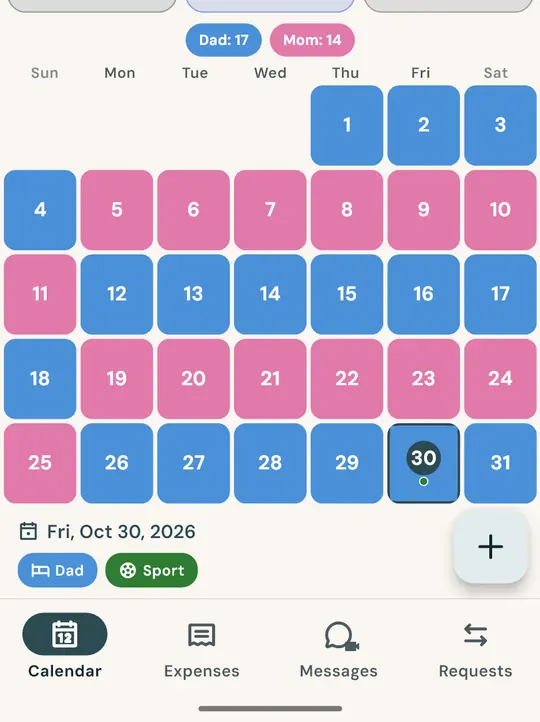

Custody schedule, overnights, child expenses and messages in one calendar that both parents see the same way. Free: every feature, no trial that runs out.


68 languages · iOS 15.5+ · Android 8+ · free with ads; an optional subscription removes them
From Monday's handover to the end-of-month report: all in one place, the same for both of you.
Set the schedule once (alternating weeks, 2-2-3, every other weekend or your own pattern) and both parents see the same calendar, with each parent's nights.
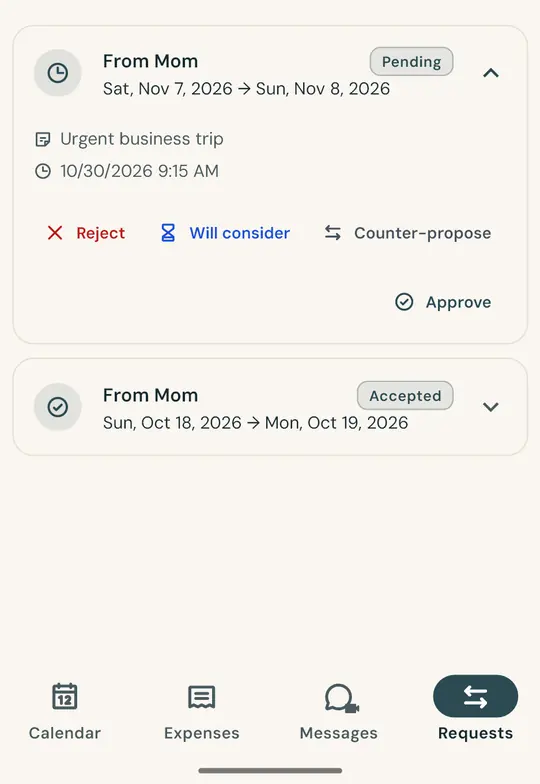
Ask to swap a weekend in the app: the other parent accepts or declines, and the decision is saved with the date and time.
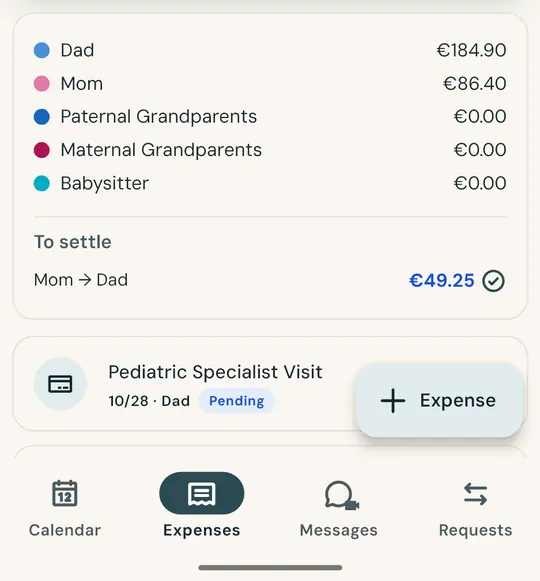
Take a photo of the receipt and the amount and date fill in by themselves. Split 50/50 or by the share you agreed: the balance is always up to date.
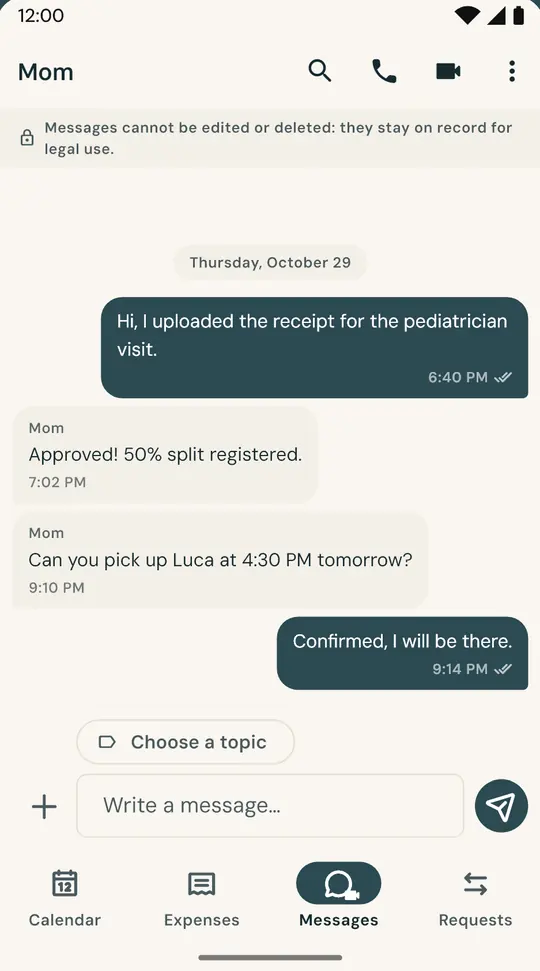
Separate from everyday messaging. Sent messages can't be edited or deleted.
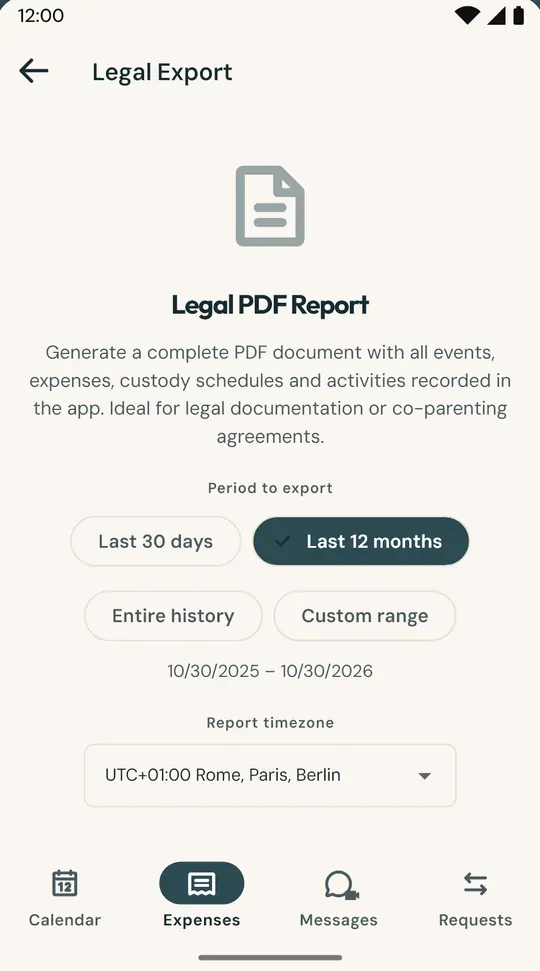
A PDF with the calendar, overnights, expenses and messages for the period you choose, with a SHA-256 fingerprint to check it hasn't been altered.
FamSync works best when you're both on it: each parent on their own phone, on the same calendar.
Family code
Send it to the other parent however you like: a text, an email, or just tell them.
After a separation or divorce, for calmer co-parenting.
A clear schedule, overnights and expenses for both of you. Fewer messages, fewer misunderstandings, more time for the kids.
Read-only access and a PDF report for the period that matters: calendar, overnights, expenses and messages.
They join the family with their own role and know who's picking the kids up, and when.
The best-known co-parenting apps in the US charge a subscription. In FamSync every feature is free, for both parents.
| App | Free plan | Lowest price | Free trial |
|---|---|---|---|
| FamSync | Yes, every feature (with ads) | Free. Ad-free: optional subscription, €0.99 a month in the eurozone | Not needed |
| AppClose | No | $7.99 a month on the web, $8.99 in the app | 60 days |
| TalkingParents | No, since March 30, 2026 | $7 a month (Essentials plan) | 30 days |
| OurFamilyWizard | No | $110 a year, per parent | Refund within 30 days |
Prices taken from the official pages on October 31, 2026: AppClose, TalkingParents, OurFamilyWizard. They may change; some offer fee waivers for parents in financial hardship. FamSync's subscription price is shown in your local currency in the App Store and Google Play. Names are trademarks of their respective owners.
Pick a pattern and a start day: the calendar repeats by itself. Each pattern covers two weeks.
Two days each, then three, alternating: the kids are never more than three days away from either parent. Good for young children.
One week with one parent, the next with the other. Few handovers: good for older kids and parents who live far apart.
Each parent always has the same weekdays, plus alternating long weekends. Easy for school and activities.
Yes. Every feature is free, for both parents, with no time limit. The app is supported by ads; if you'd rather not see them, there's an optional subscription (€0.99 a month in the eurozone; your store shows the local price).
No. They download the app for free and join your family with the 6-character code you send them. No email or password needed.
Yes. FamSync works from the first days of a separation, before custody is settled, and keeps working after the divorce: schedules, overnights, expenses and messages stay in one shared calendar. It doesn't replace a lawyer or a family mediator.
Alternating weeks, 2-2-3, 2-2-5-5, 3-4-4-3, every other weekend or a pattern of your own. Vacations, holidays and long weekends are added as separate periods.
Yes: several children in the same calendar, each with their own profile (doctor, school, allergies, medication, emergency contacts).
It gathers the calendar, overnights, expenses and messages for the period you choose, to share with your lawyer or mediator. It carries a SHA-256 fingerprint so anyone can check the file hasn't been altered; FamSync is not a certified service.
Yes. One parent can have an iPhone and the other an Android phone: they see the same calendar. You need iOS 15.5 or Android 8, or later. The app is available in 68 languages.
It's used only to make the app work and is never sold. You can delete your account and data at any time. Full details in the privacy policy.
For you and the other parent. On iPhone and Android, in 68 languages.